



Running Python Scripts On System Startup in Zorin OS Linux
Sometimes, we need to execute Python programs automatically when the PC is turned on, particularly when using Linux as the operating system.
Here, I will demonstrate how to set up your programs to run automatically in Zorin OS Linux.
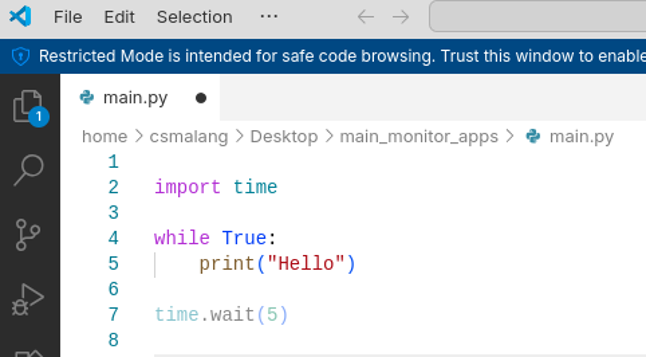
First, please make a simple program using Python as follows:
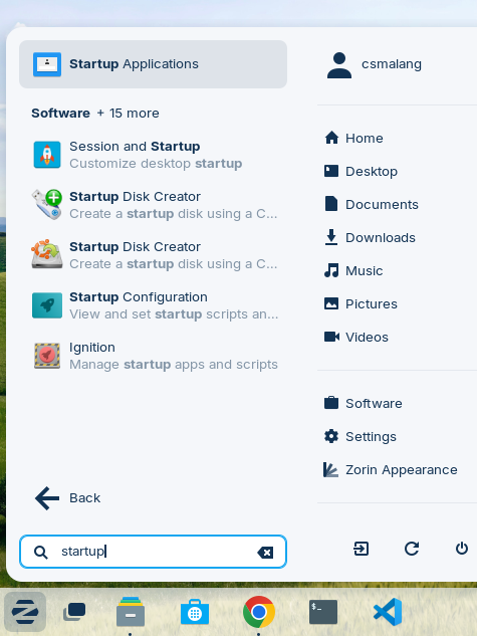
Second, click on the Zorin button and type ‘Startup Applications’
Thirdly, click the ‘Add’ button and give it a free name, for example, in my case, I filled in ‘Monitoring Apps’. For the command, please fill it in as follows: gnome-terminal — bash -c “python3 /home/csmalang/Desktop/main_monitor_apps/main.py”
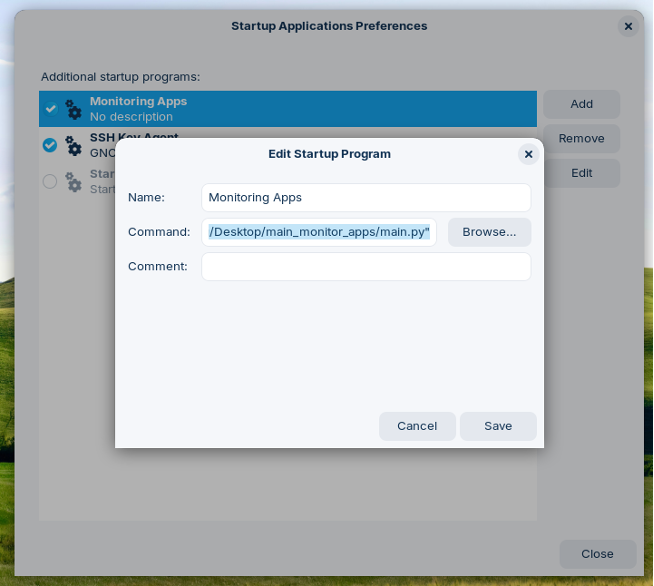
After that, click the Save button. Then, after rebooting, the Python programs will run automatically.

Comments :