



Abstract to Instagram in 45 Minutes: AI Workflow for Researchers
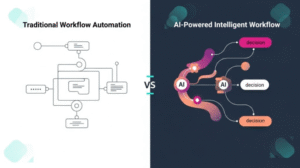
The gap between a published paper and a public-facing post is not a knowledge gap. It is a workflow gap. Most BINUS lecturers know what science communication is, understand why it matters, and have research worth communicating. What they lack is a reliable, repeatable production process that fits inside a working week already crowded with teaching, advising, grant writing, and meetings. This article is that process — documented, timed, and built around the tools already available to every BINUS lecturer, at no additional cost.
The workflow has five stages, and the total time from start to posted content is 45 minutes on a first run and under 30 minutes once you have completed it twice. Before you open any tool, make one decision: which paper are you communicating, and who is the primary non-academic audience for its findings? A quantitative study on SME credit behavior has a different primary audience (business journalists, policy practitioners, banking professionals) than a qualitative study on urban youth mental health (educators, counselors, parents, community workers). The audience decision shapes every subsequent step. Write it down before you proceed.
Stage one is the AI prompt, and it is where most of the heavy lifting happens. Open the AI prompt template on the BINUS Science Communication page. Paste your abstract into the designated field. Add one sentence specifying your target audience. The output will be a plain-language summary of approximately 150 words — your finding, the method in one sentence, the implication in one sentence, and a closing relevance statement. Read it carefully and make any factual corrections before proceeding; the AI occasionally overstates certainty or introduces imprecision in the translation. Correct those, keep the rest. Stage one takes approximately eight minutes.
Stage two is slide architecture. Your carousel will have five slides. Slide one is the hook — the most surprising or consequential sentence from your AI summary, reformatted as a statement or question that creates a reason to read on. Slide two is the context — one sentence on why this matters now. Slide three is the finding — exactly what you discovered, in plain language. Slide four is the implication — what this means for the audience you identified before you started. Slide five is the attribution — your name, your title, BINUS University, and the journal or grant that funded the work. Write all five in a text document before opening Canva. This stage takes approximately ten minutes.
Stage three is design. Open Canva. Search for “Instagram carousel” in the template library and select any clean, text-forward template. Paste one slide’s text per page. Change the font color to meet accessibility contrast standards if needed, and add your BINUS affiliation logo on the final slide. Do not over-design. A 2025 ScienceDirect analysis of SciCom engagement data found that text-heavy, high-contrast carousels outperformed graphic-heavy ones in save rate — the metric most correlated with citation discovery. Canva export to JPEG takes under a minute. Stage three takes approximately twelve minutes.
Stage four is caption and hashtags. Write two to three sentences in the caption restating the core finding in conversational language, address your specific audience directly (“If you work in logistics policy in Indonesia, this finding has implications for…”), and close with a question that invites a comment. Add #binusresearchpoint, #binusresearch, and two or three research-specific hashtags relevant to your field. Stage four takes approximately seven minutes.
Stage five is post and report. Post to Instagram, copy the post URL, and submit it to your Research Coordinator via the standard RC reporting sheet. This is the step that converts the content from a social media activity into a documented, KPI-eligible output. Stage five takes approximately three minutes.
For the AI prompt templates, Canva starting files, and RC reporting instructions that support each stage of this workflow, visit the BINUS Science Communication page at binus.ac.id/techtransfer/science-communication.
#AItools #ScienceComm #BINUSResearch #CarouselPost #ResearchWorkflow #CanvaResearch #binusresearchpoint
Comments :